View & Print
Open, inspect and print PLT, PDF, DWF, CGM, and other technical file formats.

Open and work with HPGL, HPGL/2, HP-RTL, and Calcomp plot files in ViewCompanion for Windows. Print drawings, add markups, measure geometry, and convert files to other formats.
Open, inspect and print PLT, PDF, DWF, CGM, and other technical file formats.
Add markups, dimensions and measurements for review and technical workflows.
Convert individual files or process large groups of documents using batch tools.
Work with PLT, HPGL/2, PDF, DWF, DWFx, and CGM files in one Windows desktop application.
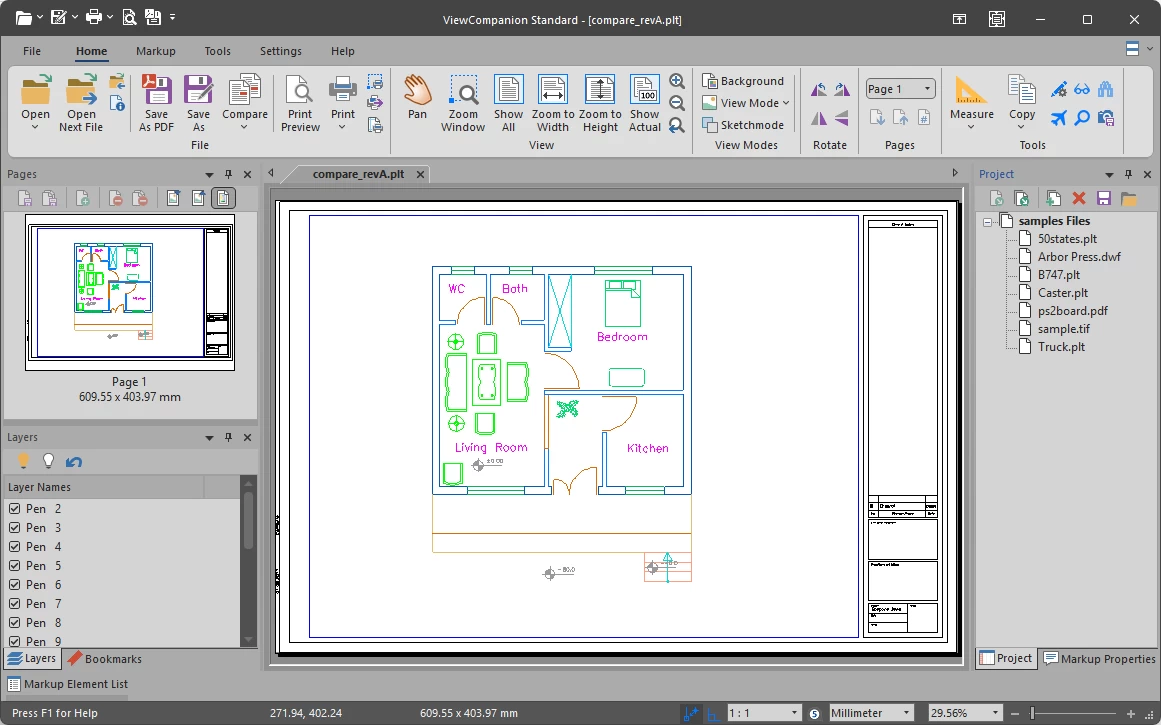
ViewCompanion supports PLT files created in common plotter languages, including HPGL, HPGL/2, HP-RTL, and Calcomp. Inspect drawings on screen, print them, or convert them to formats such as PDF, DWF, DXF, TIFF, JPEG, and CALS. All three editions—Standard, Pro, and Premium—support PLT viewing, printing, and conversion.
Using ViewCompanion you can:
ViewCompanion is available as three different editions: Standard, Pro and Premium.
All editions can view, annotate, compare, print and convert PLT, HPGL/2 and HP-RTL files.
The Pro and Premium editions add support for viewing more file formats including TIFF, CALS, PNG, EDMICS and JPEG.
ViewCompanion Premium also supports AutoCAD DWG drawings, allowing you to view, print, annotate, measure, and convert DWG files.
ViewCompanion is available in three editions. Learn more about each one:
ViewCompanion Standard
ViewCompanion Pro
ViewCompanion Premium
For an overview of the differences between ViewCompanion Standard, Pro, and Premium, see our ViewCompanion Edition Comparison Chart.
A fully functional evaluation copy can be downloaded from our web site.
The downloaded product will run in evaluation mode for a period of 30 days.
If you want to continue to use the product after this period, you're required purchase a license.
For software developers
scConverter is a powerful SDK for adding image processing and file conversion capabilities to your
own applications or server-based solutions.
It integrates with a wide range of development environments, including C#/.NET, Visual C++, Delphi, and ASP.NET.
Visit the product page to learn more about the available APIs, integration options, and supported input and output formats.
For software developers
scViewerX is a Windows ActiveX control that lets you add PLT viewing, printing, annotation, and conversion to your own application. It also supports technical formats such as PDF, DWF/DWFx, CGM, Gerber, TIFF, and CALS, with output formats including PDF, PDF/A, DXF, DWF, TIFF, and PNG.
Integrate scViewerX into development environments that support ActiveX, including C++, C#/.NET, VB.NET, MFC, and Delphi. The SDK includes sample projects with source code to help you get started.
Visit the scViewerX product page to learn more about integration options and supported input and output formats.