
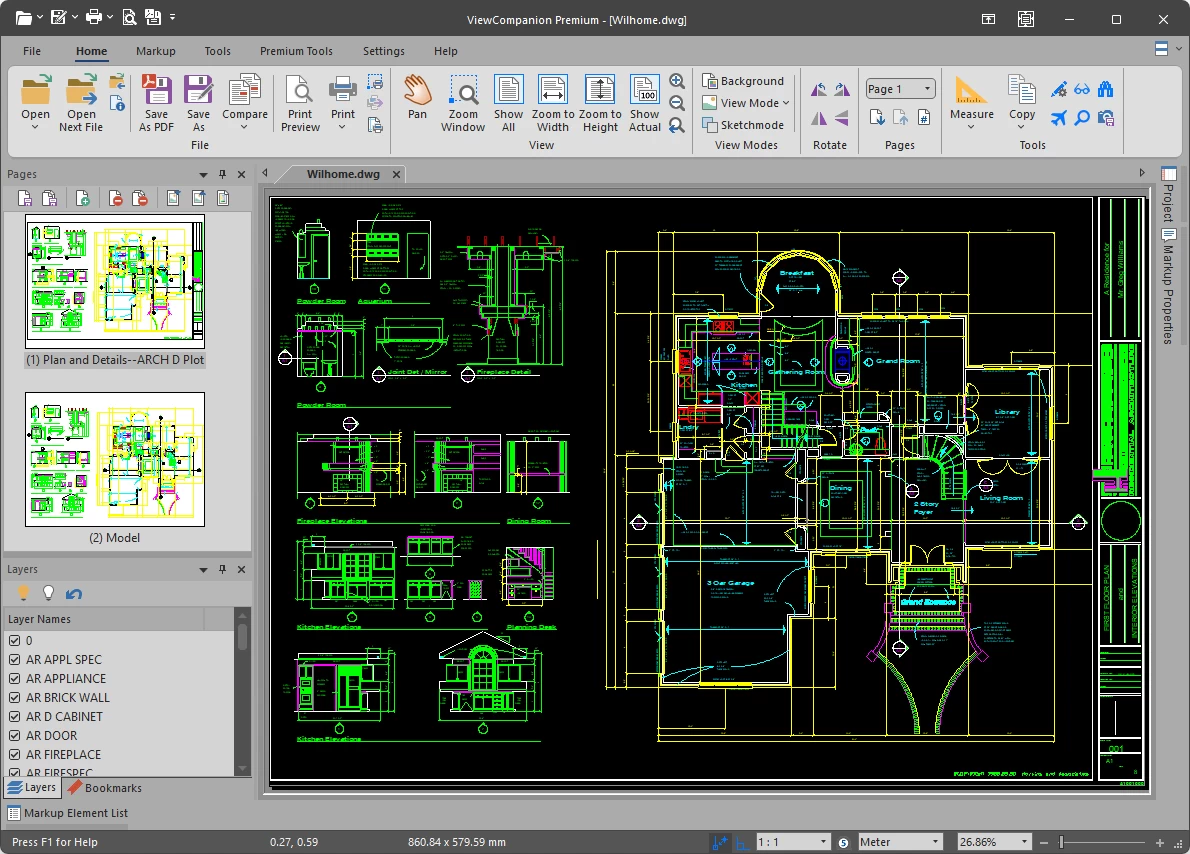
AutoCAD DWG Support Added to ViewCompanion Premium
We are pleased to announce that AutoCAD DWG support is now available in ViewCompanion Premium.
With this new release, ViewCompanion Premium can handle DWG files much like other supported technical drawing formats. Users can open, view, print, batch print, convert, batch convert, annotate, and measure DWG drawings directly in ViewCompanion Premium.
What You Can Do With DWG Files
The new DWG functionality is designed to fit naturally into the existing ViewCompanion Premium workflow.
Why DWG Support Matters
DWG is one of the most widely used file formats for CAD drawings and technical documentation. Many companies receive DWG files from customers, suppliers, contractors, consultants, and internal engineering departments.
By adding DWG support, ViewCompanion Premium becomes even more useful for companies and professionals who need to work with drawings from different sources. Instead of relying on separate tools for viewing, printing, converting, annotating, and measuring DWG files, users can now perform these tasks directly in ViewCompanion Premium.
When working with DWG drawings, it is also important to verify scale, drawing units,
and layout settings before using measurements or creating final output. DWG files may
contain model space, paper space layouts, different unit settings, and plotted page
layouts that affect how the drawing should be interpreted.
Learn more about DWG units, scale, and measurement handling.
Available Now
The new version of ViewCompanion Premium with DWG support is available now. You can download the latest version and test the new DWG functionality during the normal evaluation period.
Related DWG Resources
When reviewing DWG files, always verify scale, units, and plotted page layout before using measurements or creating final PDF output.