
Split Large PDF Pages into Multiple Tiles with ViewCompanion Premium
Split large format PDF pages into smaller tiles for printing or viewing
With ViewCompanion you can easily split large PDF pages into smaller tiles
Tiling PDF pages is an effective way to handle oversized drawings and documents that are too large for standard paper sizes.
By dividing a page into multiple smaller sections, you can print or view detailed content across several pages while maintaining accuracy and scale.
With a simple and intuitive process, you can quickly create tiled output that preserves the original layout and quality of your document.
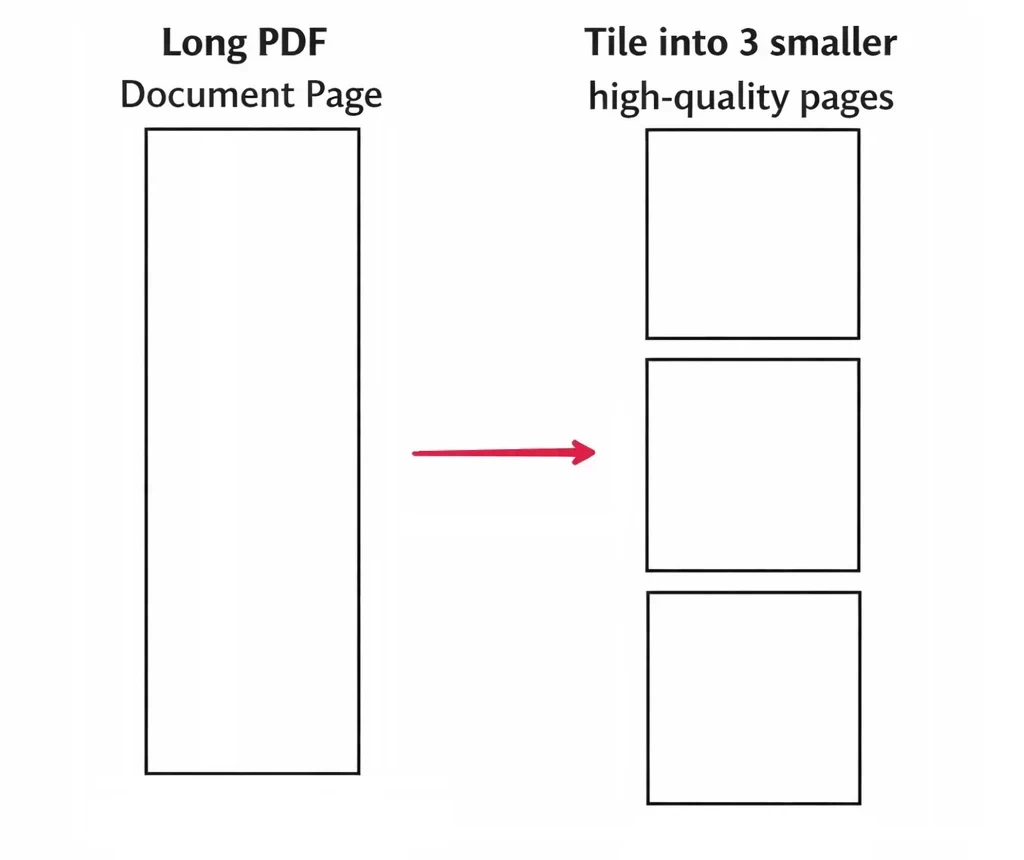
As shown below, a large PDF page can be divided into smaller tiles that are easier to print, share, and work with.
You will find the Tile PDF Page tool on the Premium Tools tab:

Press the button while having a PDF file loaded, and the following dialog will appear:
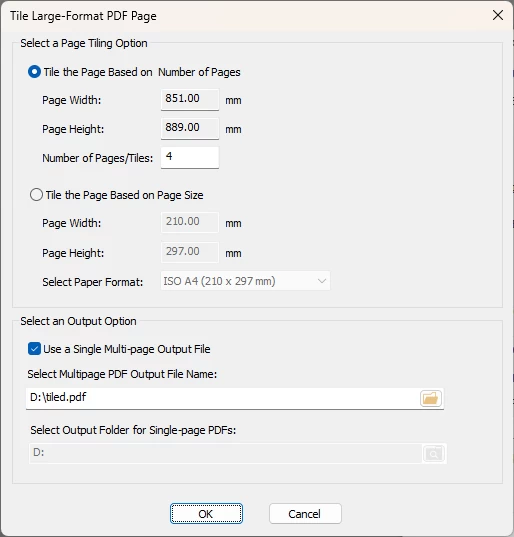
In this example, a PDF file with a page size of 3403.6 × 889 millimeters is loaded.
You can choose between two different tiling methods:
- Tile based on number of pages: The smallest page dimension is preserved, while the other dimension (width or height) is calculated automatically based on your selection.
- Tile based on page size: Select a predefined page size or define a custom size that will be used for each tile.
You can also choose to save the result as a single multi-page PDF file or as separate PDF files for each tile.
Click OK when your ready to create the output PDF file(s).
ViewCompanion Premium
ViewCompanion Premium is a comprehensive tool for viewing, converting, and processing PDF, CAD, and image files.
In addition to features like PDF conversion, OCR (optical character recognition), file comparison, watermarking, and document cleanup, it also includes tools for handling large and complex documents efficiently.
Designed for professionals and businesses, ViewCompanion helps streamline document workflows through accurate viewing, reliable conversion, and automation of repetitive tasks.
Whether you are working with large-format drawings, converting files, comparing revisions, or improving scanned documents, ViewCompanion provides a flexible and easy-to-use solution.
Click the link below to learn more about ViewCompanion Premium and explore its full feature set:
Read more about ViewCompanion Premium
Download your free 30-day trial now
Do you need to add PDF Page Tiling capability to your own application?
ScConverter may be the solution you’re looking for. It can be easily integrated into your application or server environment.
It supports most development platforms, including C#.NET, VC++, Delphi, and ASPX.
Click the link below for a full description of features:
Read more about scConverter Conversion SDK


